
well, I've been asked to whip up a quick 'emergency' xeni face tutorial
- which btw will also work for kimbas! *grins* - so instead of all the
other tuts I had planned, this one is first! *grins* just a quick note,
this is how _I_ do the faces for my xeni dolls, and many people have
different styles and I URGE you to try it yourself, because there are
SO many was of doing this and I made the xeni heads large so there's
a lot of scope for the imagination *winks* if you MUST use this tutorial
then read away and look upon it as a little guiding hand to you developing
your own faces. HAVE FUN! *grins*
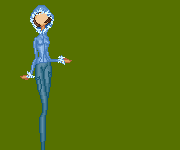
step one: so, you've got this TOTALLY styilin' xeni, you've got
her clothes all done, and her hair looking gorgeous but at the
moment she is faceless! GAH! okay, what to do what to do...
|
|

step two: firstly, zoom on in on her so you cansee all the details
and ou can edit her as easy as can be. now, what's that you say?
her face is covered by clothes and hair and stuff?? well, I use
photoshop 6 so I ALWAYS do clothes first, then hair, then face.
if you're using paint shop then you're gonna need to do the face
first if you're doing this kind of head (ie one covered by clothes
etc) but anyhoo, assuming you're using a program with layers-
|
|

step three: turn off all the layers that cover her face - on mine
I had to turn off the hair, the fur and the coat, to leave just
her pretty, bald and completely featureless head... |

step four: now make a new layer underneath the hair and clothes
etc and name it face. okay, so you've got your handy little pencil
tool. your first REAL step is to draw the under line of your xeni's
eyes. you can choose whatever colour you like, here I've chosen
dark blue as I'm going for a slightly smokey, blue kind of eyeliner
to match this girl's outfit. |
|

step five: okay, under liner done, now it's time to create the
top shape. I've gone for your basic black, but again you can use
any colour you like - experiment and see what kind of effects
you get! here we've got a wide-eyed look, with a couple of eyelashes
thrown on to bulk up the top lid.
|
|

step six: now add the whites of the eyes in the bottom inner corner
and the top far corner, |

step seven: now, the thing to remember about eyes is how they
are shaded in real life. if you can keep that in mind you're SAILING
*bg* choose the colour of eye you want: green, blue, brown, hazel
- whatever! as you can see I've gone for brown. Now, choose a
dark, near black, version of the colour and us it to spot in the
pupil and the top inner colour of the eye.
|
|

step eight: okay, now choose a lighter version of the colour and
begin to shade in the rest of the eye... |
|

step nine: a lighter still shade, |

step ten: get another lighter shade and fill in the last empty
spot at the bottom of the eye.
|
|

step eleven: last two spots! grab a lighter shade again and pop
in the last two empty spaces. EYES COMPLETE! *bg*
|
|

step twelve: EYEBROWS! *bg* once again it's your choice, but to
be natural I've chosen a shade slightly darker than the colour
I've used to outline her hair. play around with the way that you
draw these as eyebrows DEFINITELY affect the expression your doll
has. here I want her face to be open and happy, so she's got high,
slupted eyebrows what open her eyes even more.
|

step 13: now, you can skip this bit if you'd like - or substitite
this eyeshadow for normal skin tones to give your doll's eyes
definition without makeup. ask I said I wanted slight smoky eyeshadow
to her eye, so I've gone for greys and then shaded the rest of
her eye up to the brow with the second darkest shade of skin tone.
you'll also notice the slight shading 've used here - you can
use more or less, it's personal choice but more will obviously
give you a more rounded, realistic look.
|
|

step 14: the nose the nose the nose! ::grins:: I like to make
my nose minimal, and I do that on most of my dolls - apparently
it's because my nose is like that, whether you believe it or not
is up to you (I choose not *winks*) - so, all I do is take my
base outline colour, draw to pixels, and then shade them above
with the second lightest base colour
|
|

step 15: add the lips! now again, colour and shape is up to you
- and I've seen some VERY cool mouths on the xeni bases in existence
- everyone has their own take and if you look around you'll be
able get some really good inspiration and tips onhow to do them.
here I've gone a little natural and chosen a warmer & darker
hue of the skin tone for the lips, and gone redder from there...
okay! face complete *bg*
|

step 16: now all you have to do is turn the other layers on, and
your smiling xeni is looking back at you! - all you have to do
now is zoom out, admire your handiwork, and save you xeni one
more time!
|
|
 and
there you have it! one smiling, happy xeni! ::grins:: and
there you have it! one smiling, happy xeni! ::grins::
|
|





